


"Pinterest automation" gets used for very different things. For some tools it means publishing a pin you made at a time you picked. For others it means reading your website, designing pins, writing the copy, choosing boards and posting without you touching each pin. This post sorts the common tools by what they actually automate, so you can tell which kind you need.
Disclosure: we make BlogToPin, so we're biased. We've tried to describe it factually, list its real downsides, and say where other tools fit better.
Prices were checked on each vendor's site in October 2026. They change often.
Quick comparison
| Tool | Best for | Pinterest-focused? | Starting price | Free plan / trial |
|---|---|---|---|---|
| BlogToPin | Creating and scheduling pins from your site's pages | Yes, Pinterest only | $39/mo, or $25/mo billed yearly | No trial; you can generate and preview pins before paying |
| Pin Generator | Auto-pinning from a site, RSS feed or shop on a budget | Yes | $29.99/mo, or $239.88/yr | Free account with starter credits |
| Tailwind | Hands-on scheduling, with weekly AI pins via SmartPin | Yes | $29.99/mo, or $17.99/mo billed yearly | Free to start, no card needed |
| Pinterest's own scheduler | Occasional pins | Yes | Free | Free (business account) |
| Buffer | Posting to Pinterest plus other networks | No | $5/channel/mo billed yearly | Free plan (3 channels); 14-day trial |
| Later | Instagram-first teams | No | $18.75/mo billed yearly | 14-day trial |
| SocialPilot | Bulk CSV scheduling for agencies | No | $20/mo, or $17/mo billed yearly | 14-day trial |
| Hootsuite | Large social teams | No | $99/user/mo (Standard) | 14-day trial |
| Sprout Social | Cross-network reporting | No | $79/seat/mo billed yearly | 30-day trial |
| Canva | Designing pins | No | Paid plan needed for scheduling | Free plan; Pro trial |
| PinClicks | Pinterest keyword and competitor research | Yes | $29/mo | Free trial |
| PinInspector | One-off research with no subscription | Yes | $67 one-time | 30-day money-back guarantee |
Three levels of Pinterest automation
- Posting. You design the pin and write the copy; the tool publishes it later. Every scheduler does this, including Pinterest's own.
- Creation. The tool turns your URLs, products or feed into finished pins: image, title, description, board. This is where most of the time savings are, because making pins is the slow part.
- Maintenance. The tool spaces pins from the same URL, keeps new content flowing in, and cleans up pins that didn't perform.
Multi-network tools stop at level 1. Pinterest-only tools differ mainly in how far into levels 2 and 3 they go.
How to choose
- More than ~30 pages or products and Pinterest matters to your traffic: you need level 2. Compare BlogToPin, Pin Generator and Tailwind's SmartPin on a few of your own pages before paying for a year.
- You want to design every pin yourself: skip the creation tools. Tailwind or a multi-network scheduler is cheaper and gets out of your way.
- Pinterest is one of several networks and you post a few pins a week: Buffer or Later. Don't pay for Pinterest automation you won't use.
- You manage clients across many networks: SocialPilot on a budget, Hootsuite or Sprout Social with bigger teams.
- You don't know your keywords yet: do research first (PinClicks, PinInspector, or our free keyword research tool). Automation multiplies whatever strategy you give it, including a bad one.
Tools that create pins for you
1. BlogToPin
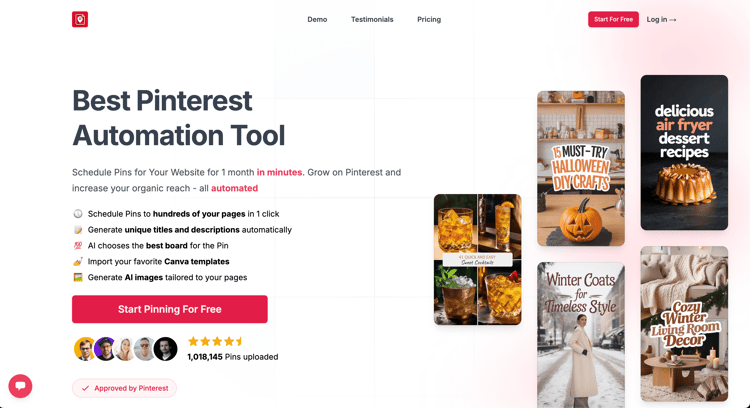
BlogToPin is a Pinterest-only tool that turns pages into pins. You connect a site (or paste URLs, including Shopify and Etsy listings), and it generates pin designs, writes keyword-based titles and descriptions, matches boards, and schedules the pins with spacing between pins for the same URL.
What it automates:
- Pin creation with AI designs, your own templates, or templates imported from Canva
- Titles, descriptions and board suggestions based on your keywords
- Daily sitemap sync, with a prompt to create pins for new pages (fully hands-off daily creation is an Enterprise feature)
- Automatic deletion of underperforming pins: 1 per day on Starter, 12 per day on Agency (how it works)
- Warmup that ramps posting slowly on new accounts
Cons:
- Pinterest only. No Instagram, LinkedIn or other networks.
- AI pins spend credits. Starter's 200 monthly credits cover roughly 285 best-quality pins; beyond that you need a bigger plan or cheaper image settings.
- Daily caps of 35 pins on Starter, 350 on Agency and 1,000 on Enterprise.
- No free trial and no refunds, though you can generate and preview pins before paying.
- Less suited to people who want to hand-design every pin.
Pricing: Starter $39/mo ($25/mo yearly), Agency $79/mo ($50/mo yearly), Enterprise $179/mo ($125/mo yearly). All plans include unlimited Pinterest accounts and websites. See pricing.
2. Pin Generator
Pin Generator also builds pins from your content. You configure an automation once and it creates a new batch of pins every week or every four weeks from a website, RSS feed (beta), CSV, or a Shopify, Etsy or WooCommerce store, with AI-written titles, descriptions and alt text and AI board selection.
Cons: credits are spent per action (1 per scheduled pin, 0.5 for AI text, 12 to 24 for an AI-generated image), so heavy AI image use burns through a plan quickly. Pinterest only.
Pricing: Pro $29.99/mo with 1,000 pin credits ($239.88/yr), up to Scale at $169.99/mo. Lifetime plans are also sold. Free accounts get credits to try it.
We compare it with Tailwind in detail in Tailwind vs Pin Generator.
3. Tailwind
Tailwind is mainly a hands-on scheduler, but it has added creation features. SmartPin turns a URL into a new pin each week with AI-picked images and copy, Ghostwriter writes pin copy, and website sync pulls in content from Shopify, WordPress and Squarespace. SmartSchedule and pin spacing handle timing.
Cons: everything costs credits (1 per scheduled pin, 300 a month on the Scheduling & Creation plan, then $10 per 100), and keyword research is a separate $14.99/mo product. Creation is weekly per URL rather than across a whole site at once.
Pricing: Pin Scheduling & Creation $29.99/mo or $17.99/mo billed yearly. Bundle with SEO and Engagement is $29.98/mo billed yearly. Free to start.
If Tailwind isn't the right fit, see Tailwind alternatives for Pinterest.
Tools that post pins you've made
These handle level 1 well. None of them create pins from your site, so the time you spend designing and writing doesn't change. Our Pinterest scheduler comparison covers each in more detail.
4. Pinterest's built-in scheduler
Free for business accounts. You can schedule up to 30 days ahead with a maximum of 10 scheduled pins, one at a time (Pinterest help center). Fine for a few pins a week.
5. Buffer
Simple and cheap: a free plan for 3 channels (10 scheduled posts per channel), then $5 per channel per month billed yearly. Pinterest business accounts get publishing and basic analytics. No Pinterest-specific automation.
For a closer look at options if you outgrow it, see Buffer alternatives for Pinterest.
6. Later

A visual planner built around Instagram that supports Pinterest on all plans, from $18.75/mo billed yearly with a 14-day trial. Pinterest analytics are limited to the last three months.
More on this in our guide to alternatives to Later for Pinterest.
7. SocialPilot
Bulk scheduling by CSV across networks, from $20/mo ($17 billed yearly) with a 14-day trial. Useful for agencies, but you still prepare every pin and spreadsheet row yourself.
8. Hootsuite
A full social suite that can schedule pins to multiple boards, with inbox, listening and approvals. Plans start at $99 per user per month (Standard). Hard to justify if Pinterest is your main channel.
Using Hootsuite mainly for Pinterest? See Hootsuite alternatives for Pinterest.
9. Sprout Social
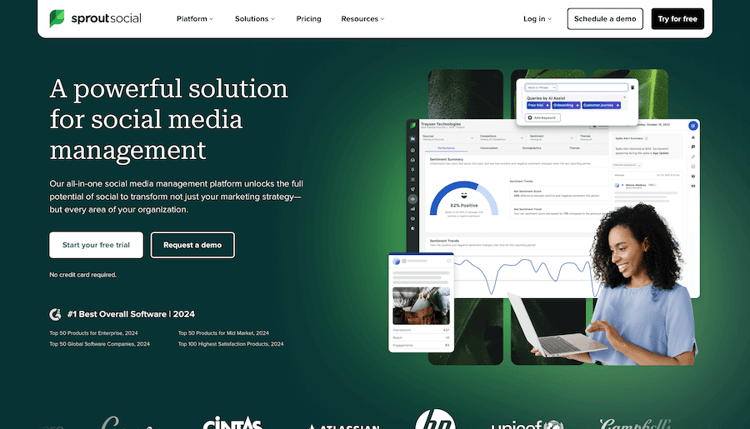
Strong cross-network reporting with Pinterest as one integration. From $79 per seat per month billed yearly ($99 monthly), with a 30-day trial.
10. Canva
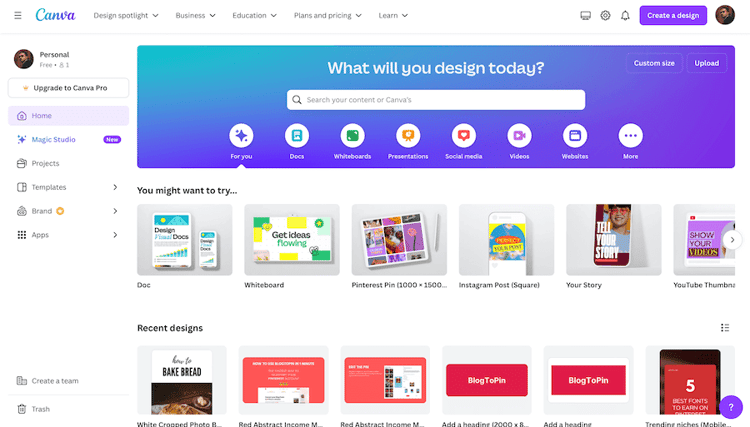
The easiest way to design pins by hand. Its Content Planner can schedule to Pinterest, but only on paid plans, and it has no bulk queue or Pinterest analytics. Prices vary by region; check canva.com/pricing.
Research tools to feed your automation
Automation only helps if the pins target things people search for. These don't post anything:
- PinClicks: Pinterest keyword explorer, top pins, account explorer and keyword rank tracking. Pin Pro $29/mo ($249/yr), Pin Plus $49/mo ($399/yr). Free trial.
- PinInspector: desktop app for Windows and Mac that extracts data on pins, boards, keywords and trends. $67 one-time, 30-day money-back guarantee.
- Pinterest Analytics: free with a business account. Impressions, saves, outbound clicks and audience data for your own pins.
Our free title and description generator is a quick way to turn keywords into pin copy if you're doing it by hand.
What automation won't do for you
- Pick a niche Pinterest wants. If your topic doesn't get searched on Pinterest, more pins won't fix it. The growth guide has a section on checking fit.
- Protect a new account from posting too fast. Ramp up gradually whatever tool you use; see warmup and avoiding bans.
- Replace checking results. Look at which pages and boards drive clicks every month or so and point more pins at those.
Bottom line
If you want pins created for you, the realistic choices are BlogToPin, Pin Generator and Tailwind's SmartPin; try each on a handful of your own pages and compare the pins, not the feature lists. If you'd rather make pins yourself, a scheduler is all you need, and Tailwind, Buffer or Pinterest's free scheduler will do. For the wider toolkit, see our list of Pinterest marketing tools.


