


A good Pinterest board name is the phrase someone would type into Pinterest search to find what's on the board. "Easy Weeknight Dinners" works. "Yum!" doesn't. That's most of it. The rest of this guide is about picking the right phrase, structuring boards for a blog or shop, writing the description, and fixing boards you already have.
What Pinterest says about board names
Pinterest doesn't publish a ranking formula, but its own guidance on boards is consistent:
- "Give boards clear and descriptive titles such as 'Easy No-bake Dinners' to help with search." (How to create Pins)
- "Give every board a proper title and description, as people can also discover boards in their search results." (Pinterest Business blog)
- Board titles and board descriptions are on Pinterest's list of places to include relevant keywords, along with Pin titles, Pin descriptions and your website URL. The same article says saving a Pin to a relevant board helps people find it. (Pin performance and distribution)
- The board name is "the name that appears under your board on your profile," and you can change it, the description and the cover at any time with Edit board. (Edit a board)
Pinterest's help center doesn't state a character limit for board names. Two to five words is a practical length: readable under the cover and close to how people search.
The formula
[What people search for] + [one qualifier]
The first part is the topic ("dinners", "living room ideas", "nail designs"). The qualifier narrows it to the board you actually have. Pick one:
| Qualifier type | Example |
|---|---|
| Effort or skill level | Easy Sourdough Recipes, Beginner Crochet Patterns |
| Time or season | Fall Front Porch Decor, Christmas Cookie Recipes |
| Audience | Toddler Activities at Home, Gifts for Dad |
| Budget | Budget Bathroom Makeover, Cheap Date Night Ideas |
| Style | Boho Bedroom Ideas, Minimalist Nail Designs |
| Place | Portugal Travel Itinerary, Tokyo Food Guide |
| Constraint | Gluten-Free Desserts, Rental-Friendly Kitchen Ideas |
One qualifier is usually enough. "Easy Healthy Gluten-Free Vegan Weeknight Dinners" is a keyword list, not a name, and it's too narrow to fill with Pins.
How to find the right words
- Type the topic into Pinterest search and look at the suggestions. If "small balcony ideas" comes up and "tiny outdoor space inspo" doesn't, use the first.
- Check Pinterest Trends for seasonal boards. It shows top search terms and whether interest is seasonal (Pinterest help), so you know when a "Halloween Party Food" board starts to matter.
- Use the free Pinterest keyword research tool to get a list of related phrases at once. The keyword research chapter of our growth guide explains how to group them.
- Match the name to the Pins you'll actually save. A board called "Vegan Desserts" that's half savory recipes sends mixed signals to Pinterest and to followers.
If you just want options to react to, the free board name generator turns a topic into 5 to 10 searchable names in English, Spanish, French, German or Italian.
Before and after: renaming real-world boards
| Before | After | Why |
|---|---|---|
| Food | Easy Weeknight Dinners | "Food" is too broad to rank for and says nothing about your angle |
| Stuff I Love | Minimalist Home Decor | Says what's inside; nobody searches "stuff I love" |
| Baby!!! | Baby Nursery Ideas | Real search phrase, no punctuation noise |
| Gift Ideas 2023 | Gifts for Coffee Lovers | The year dates the board; the audience makes it specific |
| Pinspiration Station | Bullet Journal Ideas | The pun hides the topic completely |
| Products | Handmade Silver Stacking Rings | For a shop, name the product type buyers look for |
| Blog Posts | Small Garden Ideas | Name boards after topics, not after your content type |
The last row is the most common mistake on business profiles. Readers don't search for "Blog Posts". Split that board into topic boards that match your categories.
Board name ideas by niche
These are starting points. Swap in the qualifier that fits your content.
Weddings
- Wedding Planning Checklist
- Budget Wedding Ideas
- Rustic Wedding Decor
- Wedding Bouquet Ideas
- Bridesmaid Dresses
- Wedding Hairstyles for Long Hair
- Small Wedding Ideas

Baby and parenting
- Baby Nursery Ideas
- Toddler Activities at Home
- Baby Food Recipes
- Pregnancy Tips First Trimester
- Baby Shower Ideas
- Kids Lunch Box Ideas
Food and recipes
- Easy Weeknight Dinners
- Healthy Meal Prep Ideas
- Slow Cooker Recipes
- No-Bake Desserts
- Sourdough Recipes
- Vegetarian Dinner Recipes
- Christmas Cookie Recipes
Home decor
- Small Living Room Ideas
- Boho Bedroom Ideas
- Kitchen Organization Ideas
- Rental-Friendly Decor
- Small Balcony Ideas
- Bathroom Makeover on a Budget
Nails and beauty
- Fall Nail Designs
- Short Nail Ideas
- Pink Nail Inspiration
- Natural Makeup Looks
- Skincare Routine for Dry Skin
- Easy Hairstyles for Medium Hair

Travel
- Portugal Travel Itinerary
- Budget Travel Tips
- Road Trip Packing List
- Solo Female Travel Tips
- Things to Do in Paris
- Carry-On Packing Tips
Photography
- Photography Tips for Beginners
- Portrait Photography Poses
- Lightroom Editing Tutorials
- iPhone Photography Tips
- Product Photography Ideas
Quotes
- Motivational Quotes for Work
- Self-Care Quotes
- Funny Quotes About Life
- Short Inspirational Quotes
Seasonal
- Halloween Decor Ideas
- Halloween Party Food
- Thanksgiving Side Dishes
- Christmas Table Settings
- Summer Outfit Ideas
- Spring Cleaning Checklist
We'd leave the year out of seasonal board names. "Halloween Decor Ideas" can collect Pins every October; "Halloween 2024" looks stale the following year and has to be renamed or abandoned.
Broad boards, specific boards and sections
A common question is whether to have one big board or many small ones. A workable rule:
- Make a board specific enough that the name is a real search phrase, and broad enough that you'll keep adding Pins to it. "Vegan Recipes" is fine for a vegan blog. "Vegan Recipes With Chickpeas and Spinach" will stall at five Pins.
- Use sections for sub-topics. Pinterest lets you add sections inside a board to keep similar ideas together (Create a board section). A "Vegan Recipes" board can have "Breakfast", "Dinner" and "Desserts" sections.
Worked example: a food blog with 120 posts in categories like dinners, desserts, bread, meal prep and holidays could start with:
| Board | Sections | Pins from |
|---|---|---|
| Easy Weeknight Dinners | Chicken, Pasta, One-Pan | Dinner category |
| No-Bake Desserts | Bars, Cheesecakes | Dessert category |
| Sourdough Recipes | Bread, Discard | Bread category |
| Healthy Meal Prep Ideas | Lunches, Breakfasts | Meal prep category |
| Thanksgiving Side Dishes | none | Holiday posts, plus relevant dinners |
| Christmas Cookie Recipes | none | Holiday posts, plus relevant desserts |
A Pin can go on more than one board when it genuinely fits both, like a pumpkin cheesecake on "No-Bake Desserts" and a Thanksgiving board. Don't save the same Pin to five loosely related boards; Pinterest says repeatedly saving the same Pins can get you flagged as spam (Pin performance).
Write a board description
Pinterest recommends a description on every board, and it's an easy place to add the related phrases that don't fit in the name. One or two plain sentences is enough. Open the board, click the three dots next to the name, choose Edit board and add it (Edit a board).
- Easy Weeknight Dinners: "Quick dinner recipes for busy weeknights, including 30-minute meals, sheet pan dinners and one-pot pasta."
- Small Living Room Ideas: "Layout, storage and decor ideas for small living rooms and apartments, including rental-friendly updates."
- Portugal Travel Itinerary: "Itineraries, maps and food tips for Lisbon, Porto and the Algarve, from 3-day city breaks to two-week road trips."
- Handmade Silver Stacking Rings: "Sterling silver stacking rings, handmade to order. Minimalist bands, birthstone rings and gift sets."
Write it for a person first. A list of 20 keywords separated by commas doesn't read as a description.
What about cute and funny board names?
They aren't banned, and on a personal profile, have fun. On a profile you use to bring people to a website or shop, a name that hides the topic makes it harder for both people and Pinterest search to tell what the board holds.
If you love a playful name, keep the searchable words in it:
| Playful only | Playful + searchable |
|---|---|
| Sew Awesome | Sew Easy: Beginner Sewing Projects |
| Procrastibaking | Procrastibaking: Easy Weekend Baking Recipes |
| Netflix and Chilli | Comfort Food Recipes for Movie Night |
| Wear in the World | Travel Outfit Ideas |
| Hue Knew? | Unexpected Color Combinations for Home Decor |
Fixing boards you already have
- List your boards and their Pin counts. Anything with a vague name and a lot of Pins is worth renaming first.
- Rename in place. Edit board lets you change the name and description without recreating the board.
- Merge near-duplicates. If you have "Dinner Ideas" and "Easy Dinners", Pinterest lets you merge boards and sections so you don't lose the Pins (Merge boards and sections).
- Leave clear boards alone. If a name already says what's inside, there's nothing to gain from changing it.
Board covers
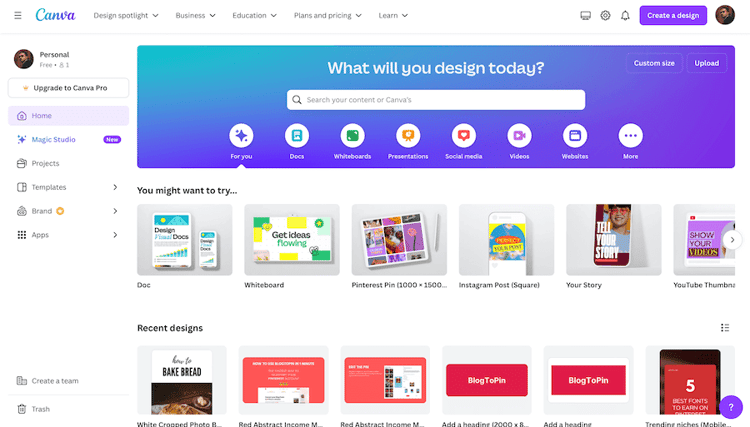
The cover is "the largest image when viewing the board from your profile," and you can only change it on iOS or desktop (Edit a board). Pick a Pin from the board that shows the topic at a glance. Some people design custom covers with the board name on them; Canva has free templates for that. It's optional. A clear name and a representative Pin do most of the work.
Common mistakes
- Naming boards after your content type ("Blog Posts", "Products", "My Pins").
- One-word names ("Food", "Travel"): too broad to stand out in search.
- Stacking every keyword into the name. One topic, one qualifier.
- Years in evergreen or seasonal names, which force a rename every year.
- Hashtags in board names. Use plain words people type, not "#dinner".
- Skipping the description. It takes a minute and Pinterest asks for it.
- Boards that don't match their Pins. The name is a promise; fill the board with what it says.
Tools
- Free Pinterest board name generator: names from a topic, in five languages.
- Pinterest keyword research tool: find the phrases first.
- BlogToPin: creates Pins from your sitemap, RSS feed or uploads, writes titles and descriptions, matches each Pin to the right board and schedules by keyword. Starter is $39/month ($25/month billed annually); no free trial, but you can preview Pins before paying. Disclosure: BlogToPin is our product.
